Virtual try-on for your product pages

See it on you.
Know what size
to order.

A Try Now button on your product pages. Your shopper sees the garment on their own photo, where it sits close, and which size to order. The whole experience stays on your product page.
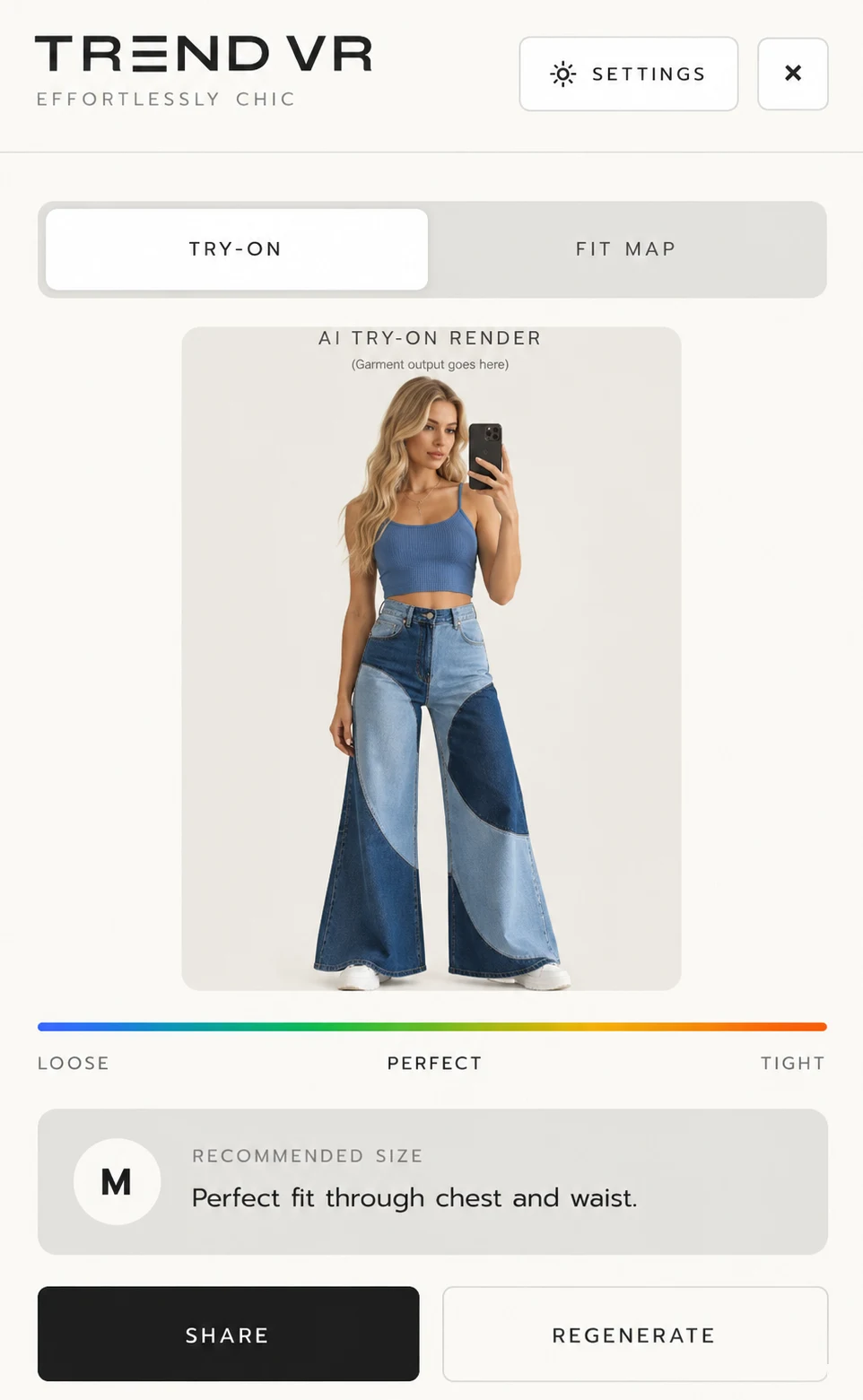
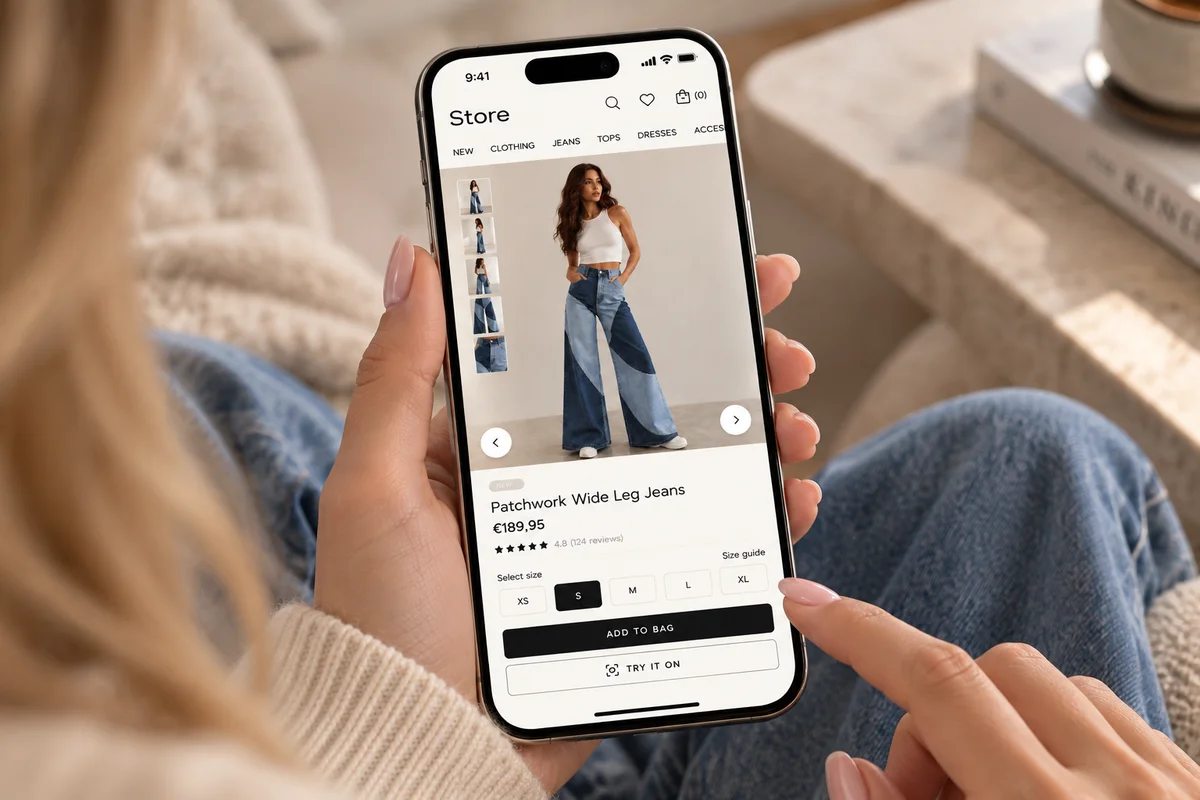
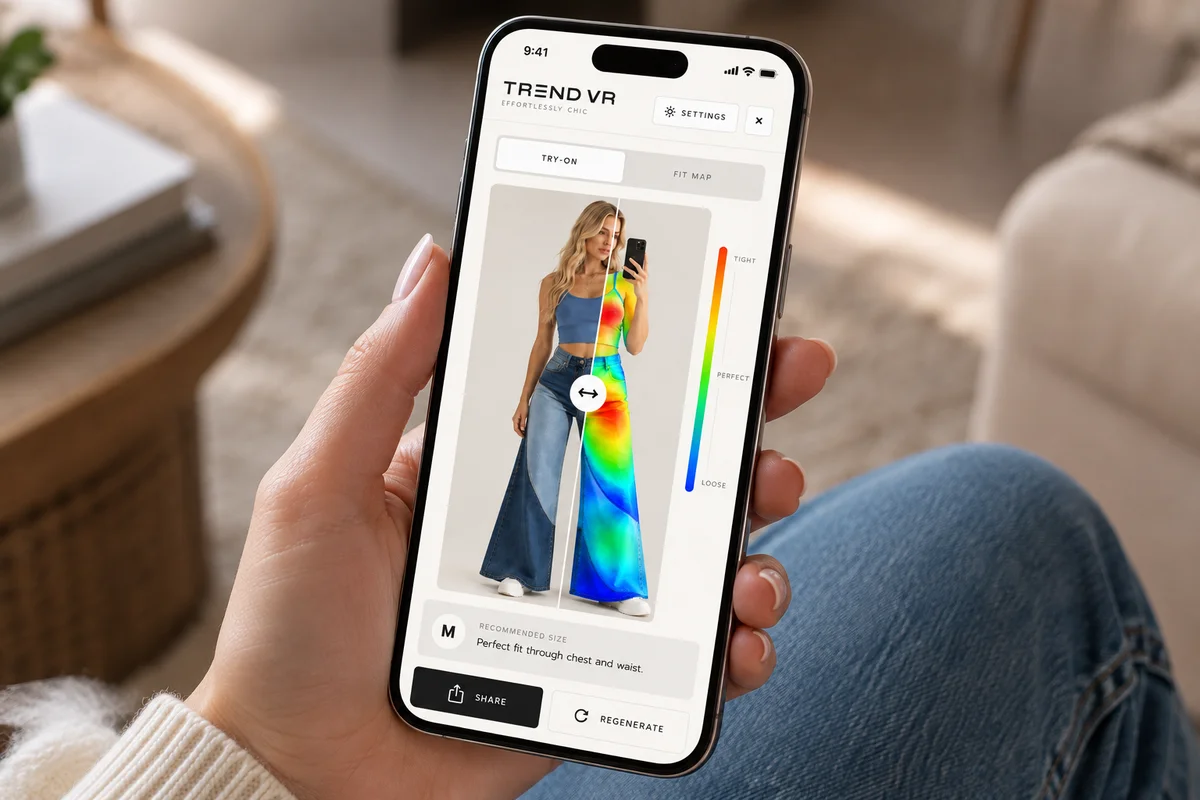
Trend VR try-on result with fit scale and recommended size
Built by
Anitech Solutions
Our team
60+ employees worldwide
Offices in
Ireland, the UK and Poland
Supported by
Enterprise Ireland · Dún Laoghaire LEO
The confidence gap

They can't tell how it will fit,
so they order two sizes.

Size uncertainty leaves shoppers guessing. Returns add work and cost for your team. Published industry research shows the scale of the challenge.

Shopper on a product page with the Try it on button on her phone
01 / UK clothing
23.6% return rate.

The average return rate for UK online clothing orders in ZigZag's 2025/26 report.

Source: ZigZag / Retail Economics, 2025/26 →
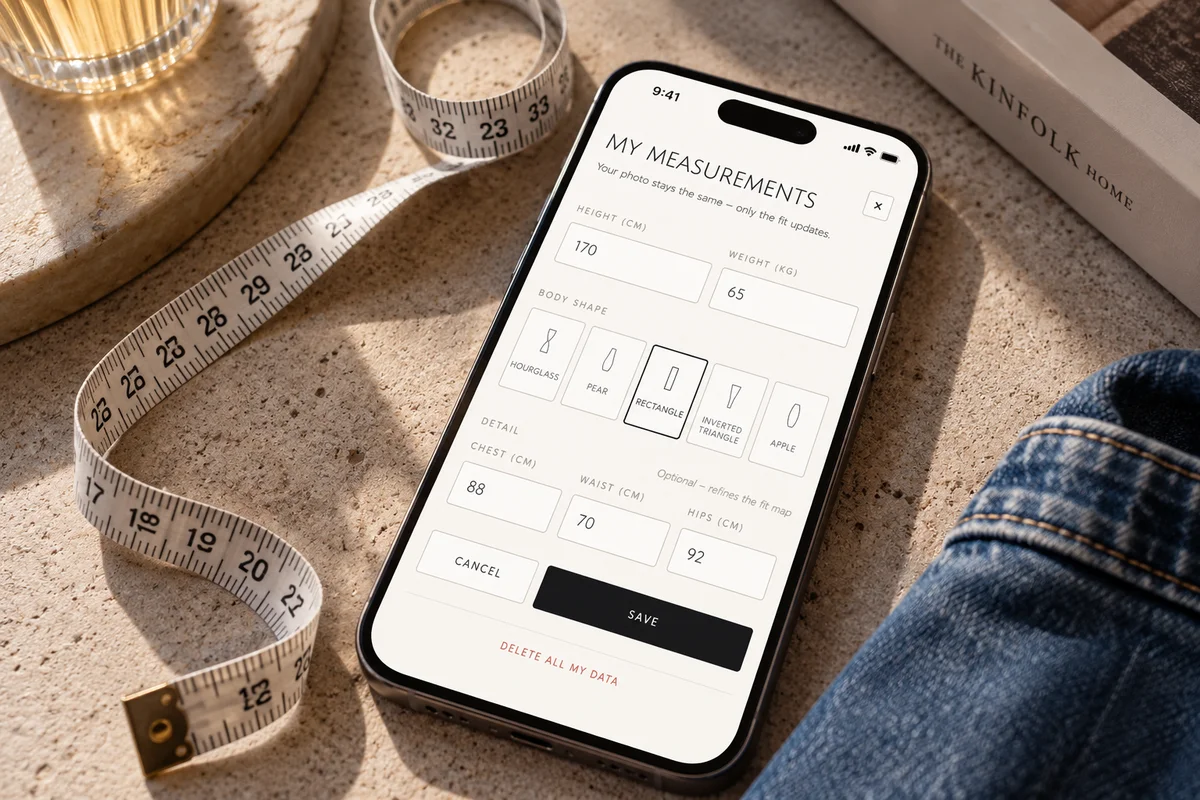
Trend VR measurements screen on a phone next to a tape measure
02 / Global survey
61% cited poor fit.

Of consumers surveyed globally, 61% cited poor fit as a reason for returning products.

Source: Rithum, 2025 →
Shopper checking the Trend VR fit map and recommended size on her phone
03 / Global survey
36% buy extra to return.

Of shoppers surveyed globally, 36% admitted buying extra items intending to return part of the order.

Source: Rithum, 2025 →
How it works

Three steps.
One size to order.

  1. 01

    Click “Try Now”

    On the garment's product page, right where your shopper is already browsing.

  2. 02

    Add a photo and measurements

    Add a photo and a few measurements.

  3. 03

    See it on you

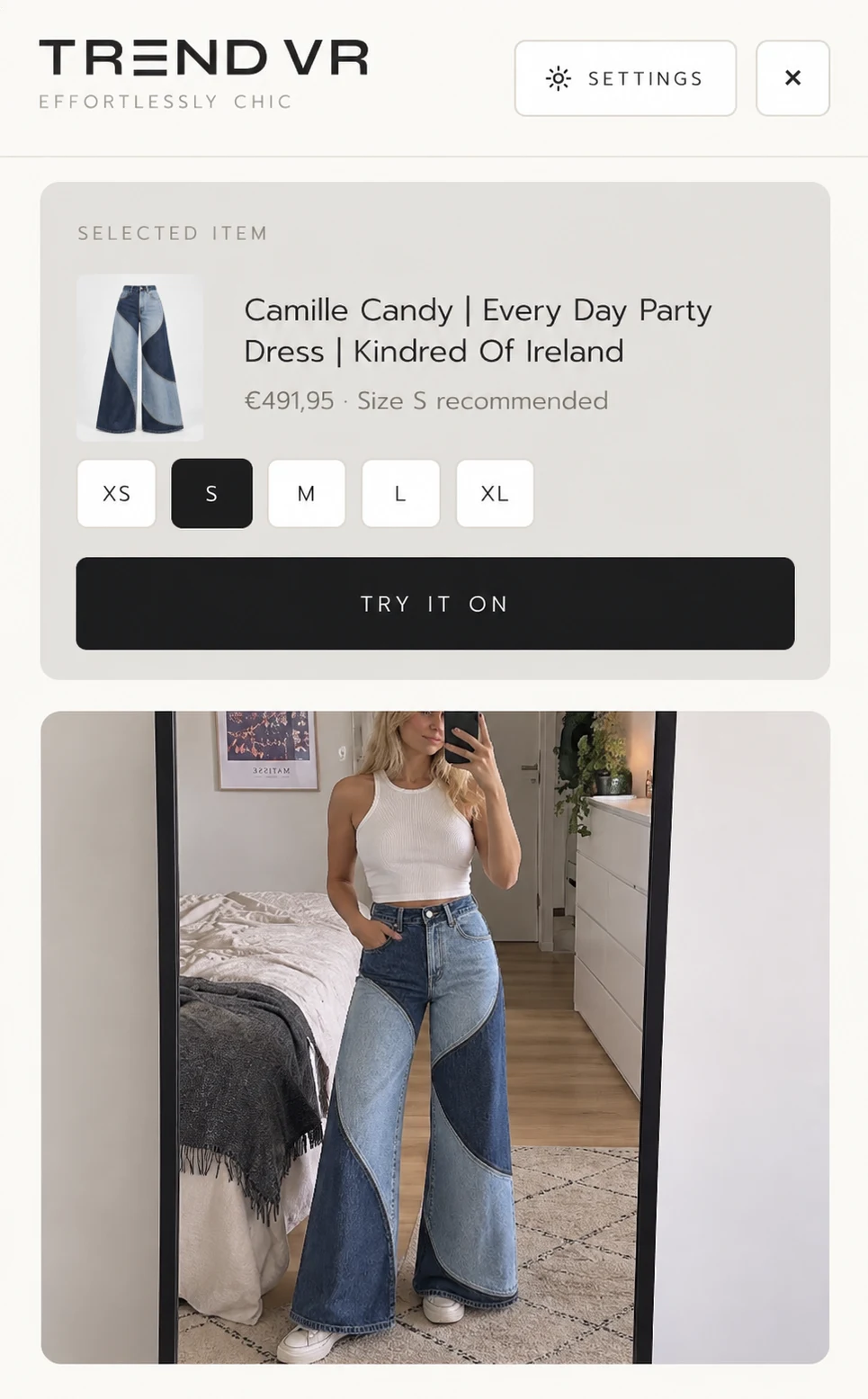
    The garment on your photo, where it sits close, and the size to order, with the reason. A short video can also show the look.

Trend VR drawer with the selected garment, size chips and the shopper's photo
On your site
Click “Try Now” on any garment.

The shopper stays on your product page, with your branding around the experience.

  • Inherits your branding and PDP layout
  • Synced with your live catalogue feed
  • Added with a short piece of code
Built for retail

What the shopper sees,
and what you see.

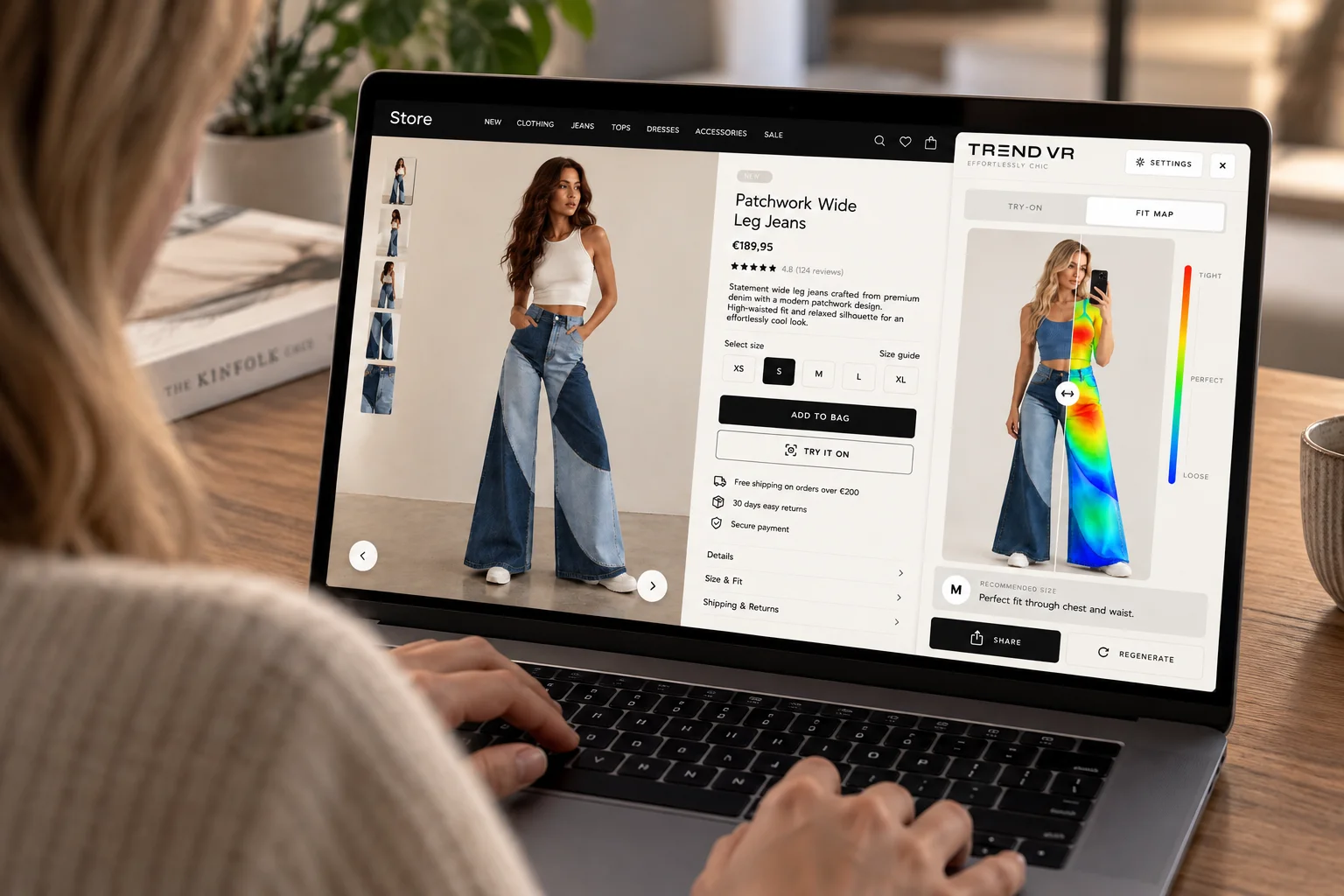
Shopper using Trend VR's fit map next to a product page on a laptop
01 / Try-on

The garment on you

Your garment on the shopper's own photo, on your product page.

02 / Fit map

Where it sits close

The fit map shows where the garment sits closest to their body, so they can see why a size is right.

03 / Size advice

The size, with the reason

Worked out from the garment's own measurements, not years of other shoppers' history, so it works from day one.

04 / Retailer dashboard

Your dashboard

Product views, try-on sessions and the products attracting most interest.

How the size is worked out

  1. 01

    You add your size chart

    Enter bust, waist and hips for each size once in your dashboard.

  2. 02

    The shopper adds their measurements

    Bust, waist and hips, entered once and remembered on their device.

  3. 03

    We pick the closest size

    Each size is compared with the shopper's measurements and the closest match is recommended. The shopper also sees how it fits: relaxed, perfect, snug or tight.

The recommendation is a guide based on your size chart. The same chart applies to every product in your store.

Integration

On your existing product pages.

We set it up with you. A named person at our team handles configuration and testing.

  1. 01

    Connect your catalogue

    Share your live catalogue feed and garment measurements.

  2. 02

    Add Try Now to your product pages

    Add a short piece of code, styled to fit your existing store.

  3. 03

    We set it up with you

    A named person at our team handles configuration and testing.

  4. 04

    Watch the dashboard

    Product views, try-on sessions and daily activity.

How our code loads on your site

  1. 01

    Add one line

    Paste the script from your dashboard into your site, just before </body>. It works on Shopify, WooCommerce or any site where you can add a script.

  2. 02

    Your page loads first

    TrendVR waits until your page has finished loading, checks that your domain is authorized, and then shows the “Try it on” button. If anything fails, your page stays exactly as it was.

  3. 03

    Try-on runs only on tap

    Photo upload and the virtual try-on only start when a shopper taps the button.

Pilot reporting

See how shoppers use it.

Your pilot gives you a view of product interest and try-on activity. We bring the findings together in a short report and review the next steps with you.

  • Product views
  • Try-on sessions
  • Daily activity
  • Popular products
Start with a small pilot

Try TrendVR
on your store.

We work with your web team on setup, agree a try-on image allowance and review how shoppers use the experience.

  1. 01Support with setup and testing
  2. 02A generation allowance agreed before launch
  3. 03An agreed pilot period
  4. 04A short report on product views and try-on activity
  5. 05A review together to discuss next steps
Agree the allowance and pilot period before launch.
Sustainability / Our aim

Help shoppers get the fit right
before they order.

TrendVR gives shoppers a clearer view of the garment and size advice before buying. If that helps them avoid ordering the wrong size or several sizes to keep one, it could reduce unnecessary return journeys, packaging and handling.

Industry context: European Environment Agency, 2024 — the resource use and environmental impact of clothing returns →
FAQ

Common retailer questions.

Try Now is added to your existing product pages with a short piece of code. We connect your catalogue feed and work with your team on configuration and testing.

Support with setup and testing, an agreed try-on image allowance and pilot period, and a short report on product views and try-on activity. We review the findings with you before discussing next steps.

TrendVR is built by Anitech Solutions, with 60+ employees worldwide and offices in Ireland, the UK and Poland.

Photos are only used to create the shopper's try-on. They are linked to an anonymous ID, so shoppers don't need an account or to share their name. Shoppers can delete any photo, or all their photos and try-ons at once, from the try-on window. Images are processed by Google's Gemini AI to generate the result.

The experience inherits your branding and product page layout. We agree the configuration with you during setup.

From the garment's own measurements, with the reason shown alongside the recommendation.

TrendVR loads after your page, so your photos, prices and buy button appear as usual. The initial download is about 85 KB, less than a typical product photo, and the browser keeps it after the first visit. The try-on itself only runs when a shopper taps the button.

Let's look at your store

See it on one of your best-sellers.

Book 15 minutes to talk through your store and the pilot setup.

Preview form only. Nothing is sent.